In short: GeoMarkup is a free, browser-based ArcGIS Field Maps alternative built for collaborative map work and real-time task management. You start in minutes with no install and no licensing, import data in 6 formats (up to 50 MB) and get 7 basemaps out of the box. Choose ArcGIS Field Maps instead when offline data collection and survey-grade accuracy are essential.
ArcGIS Field Maps is a capable, enterprise-grade app for field data collection — but for many teams it is also heavy: it lives inside the Esri ecosystem, needs a paid subscription, has to be installed on every device and assumes someone on the team knows ArcGIS. If that feels like more platform than your work needs, you are probably looking for an ArcGIS Field Maps alternative that is lighter, faster to adopt and easier to share.
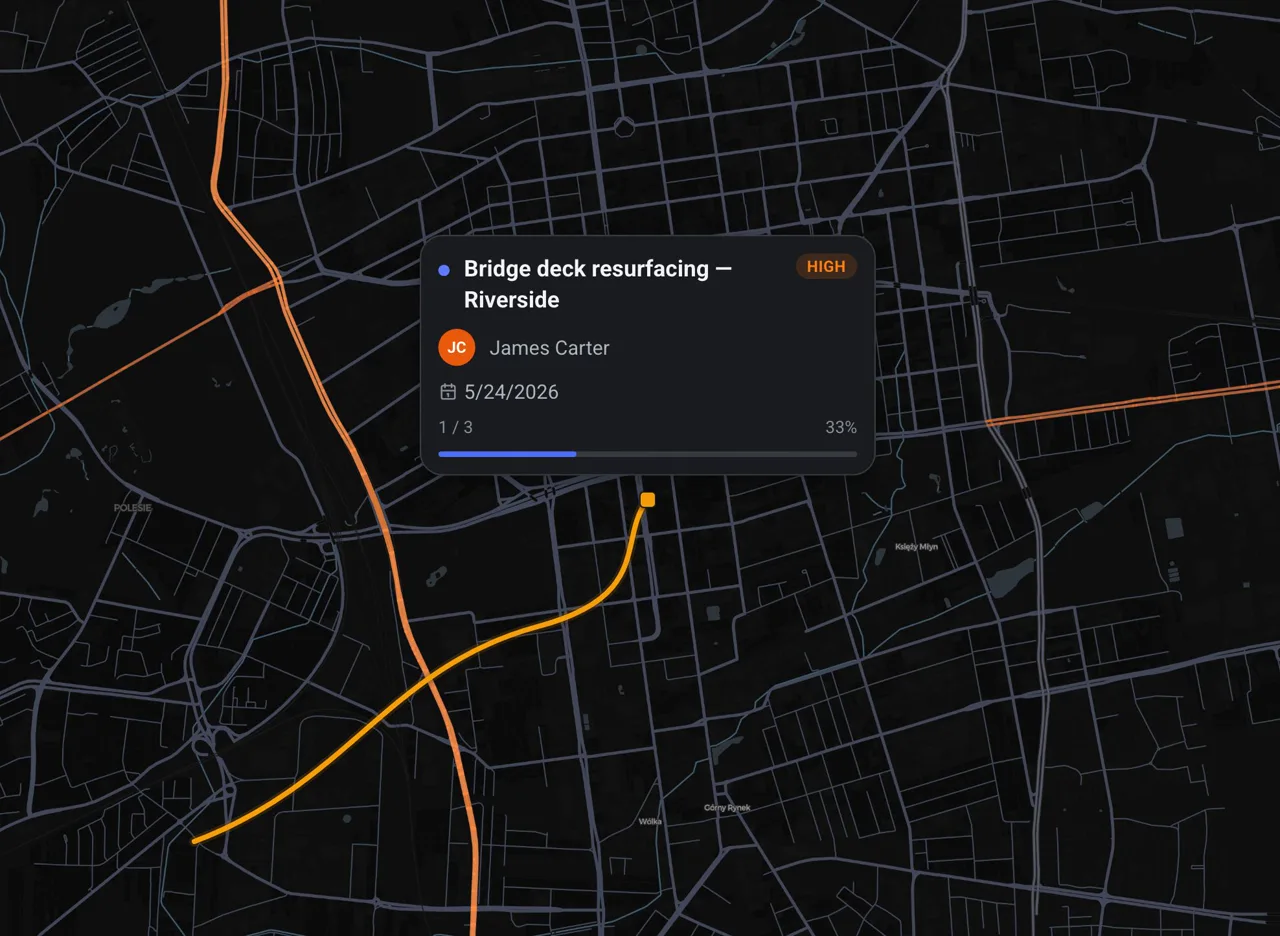
This article compares GeoMarkup with ArcGIS Field Maps honestly — including the situations where Field Maps is still the better choice. The goal is to help you pick the right tool, not to pretend one product wins everything.
This guide was written by the GeoMarkup team. We based the GeoMarkup side on day-to-day work with the product and the ArcGIS Field Maps side on Esri’s official documentation. We aimed for a fair comparison, which is why a full “where ArcGIS Field Maps is still the better choice” section is included below. Features and pricing reflect each tool as of June 2026 and can change — check Esri for the latest.
Short answer: is GeoMarkup a good ArcGIS Field Maps alternative?
GeoMarkup is a strong alternative if your priority is collaborative map work and task management in the browser:
- You want to pin tasks to exact spots on a map and track them from start to done.
- You need real-time collaboration and comments, not just a synced data layer.
- You want to start in minutes — no install, no GIS administrator, no licensing.
- You are happy to work online (offline capture is on the roadmap, not shipped yet).
It is not the right pick if your core need is rugged, offline-first field data collection with survey-grade GPS and deep ArcGIS integration. We come back to that in Where ArcGIS Field Maps is still the better choice.
What is ArcGIS Field Maps?
ArcGIS Field Maps is Esri’s mobile app for field data collection, markup and location tracking. To be precise: “ArcGIS Field Maps” is specifically the mobile app — not the whole platform. Authoring, hosting and analysis happen in ArcGIS Online or ArcGIS Enterprise (and ArcGIS Pro on the desktop); the app sits on top of them. In the field it reads and edits those feature layers, online or offline.
Its strengths are real: robust offline maps, support for high-accuracy GPS receivers, smart forms, and tight integration with the rest of ArcGIS. It is a mature choice for organisations that already run on Esri.
What is GeoMarkup?
GeoMarkup is a browser-based interactive map combined with task management. You pin tasks and notes to any point on a live map, draw three geometry types — markers, lines and shapes — discuss in real-time comments, and keep everything organised in isolated team workspaces, all without installing anything.
Because it runs in the browser, the whole team works on the same live map from desktop, tablet or phone, and a new person can be productive in minutes.
GeoMarkup vs ArcGIS Field Maps: feature comparison
| Feature | GeoMarkup | ArcGIS Field Maps |
|---|---|---|
| Runs in | Web browser, no install | Native iOS / Android app (install required) |
| Price | Free right now, no card | Paid — requires an ArcGIS Online / Enterprise subscription |
| Setup time | Minutes, no GIS admin | ArcGIS org + map and layer configuration |
| Real-time collaboration & comments | Yes, built-in | Edits sync when online; no live comments |
| Map-based task management (status, priority, owner, requirements, history) | Yes, first-class | Add-on (ArcGIS Workforce) |
| Offline field data collection | On the roadmap | Yes — core strength |
| Survey-grade / high-accuracy GPS | No | Yes |
| Import GeoJSON, KML, KMZ, GPX, GeoPackage, Shapefile | Yes | Via the ArcGIS publishing pipeline |
| Basemaps incl. orthophoto & satellite | 7 built-in | Esri basemaps + custom |
| Smart forms / Survey123 | No | Yes |
| Advanced GIS analysis & enterprise geodatabase | No | Yes (full ArcGIS) |
| Drawing & markup (markers, lines, shapes, undo/redo) | Yes | Yes |
| Works on desktop, tablet and phone | One responsive app | Mobile app (+ ArcGIS web to author) |
Where GeoMarkup is the better choice
No install — it runs in any browser
There is nothing to deploy to phones or tablets and nothing to keep updated. Open a link in Chrome, Firefox, Safari or Edge and you are working. The layout adapts itself to desktop, tablet and phone, so the same map works everywhere.
Free, with no per-seat licensing
GeoMarkup is completely free right now — no credit card, no seat counting, no usage limits. For a pilot, a small team or an organisation that does not want to commit to an enterprise GIS contract, that removes the biggest barrier to getting started.
Real-time collaboration is built in
Comments live on the task itself and appear the moment a teammate replies — no refresh, no syncing step. You can see who is online in the workspace right now. For coordinating an office and a field crew around the same map, this is the difference between a conversation and a data export.
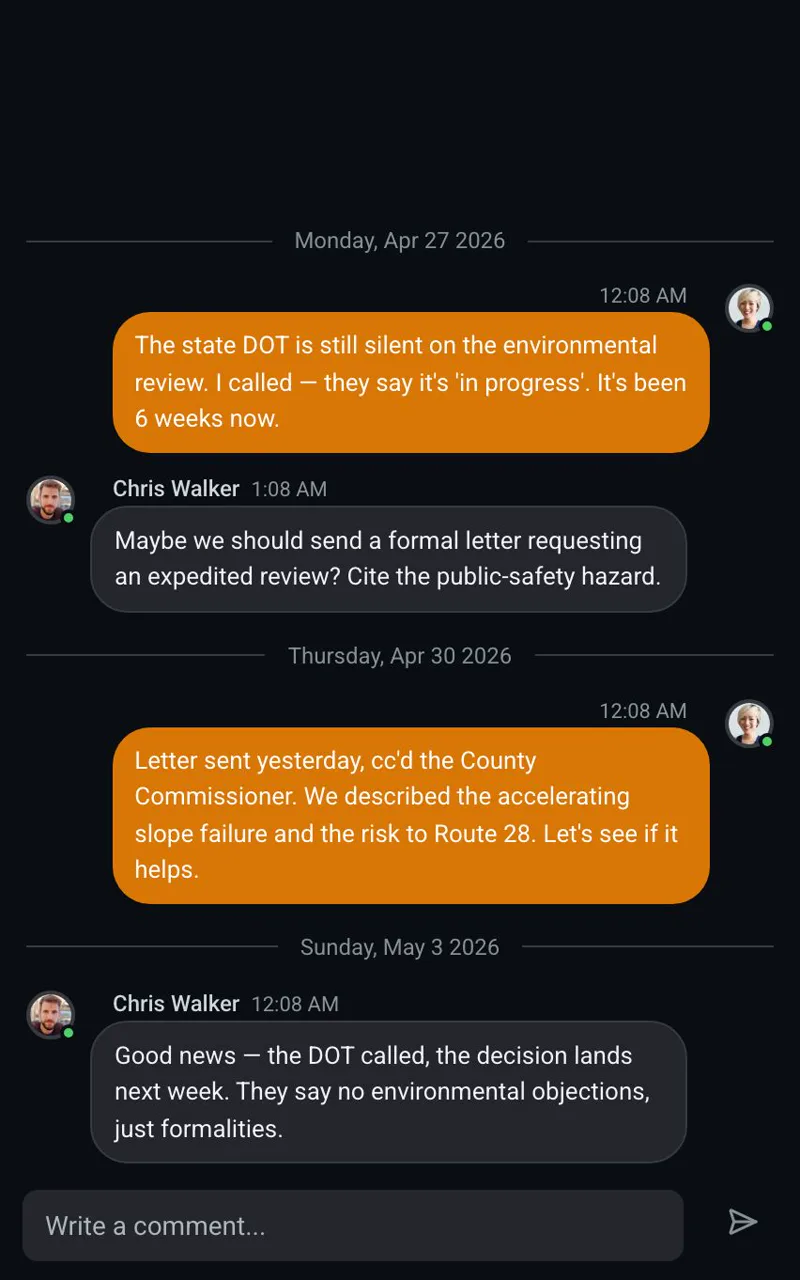
Tasks are first-class, not just points
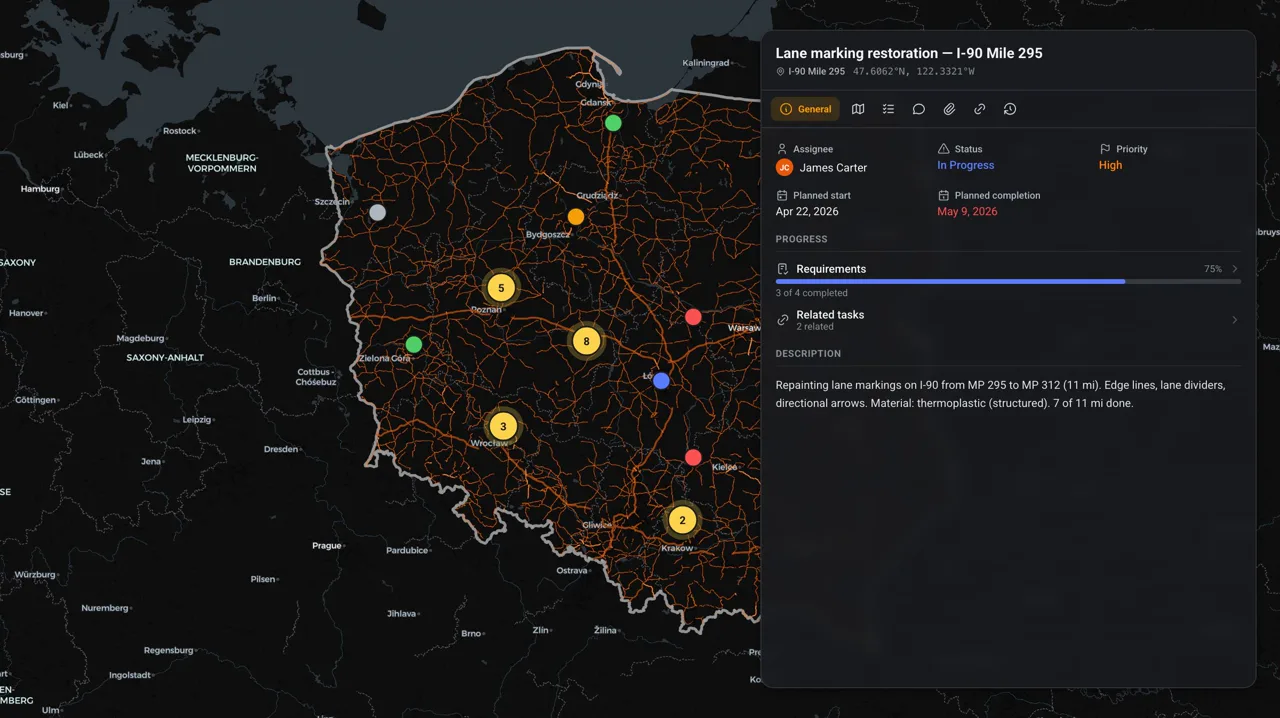
In GeoMarkup every task on the map is pinned to a precise spot and carries a status, a priority and an owner, plus a requirements checklist, attachments and a full change history. The whole context lives in one place instead of being scattered across feature layers, spreadsheets and email.
Import your geodata in minutes
Drag in one of six formats — GeoJSON, KML, KMZ, GPX, GeoPackage or a zipped Shapefile (up to 50 MB) — and it appears as a custom layer, with no publishing pipeline and no server. You also get seven basemaps out of the box, including orthophoto and satellite imagery, and you can export your map back to GeoJSON.
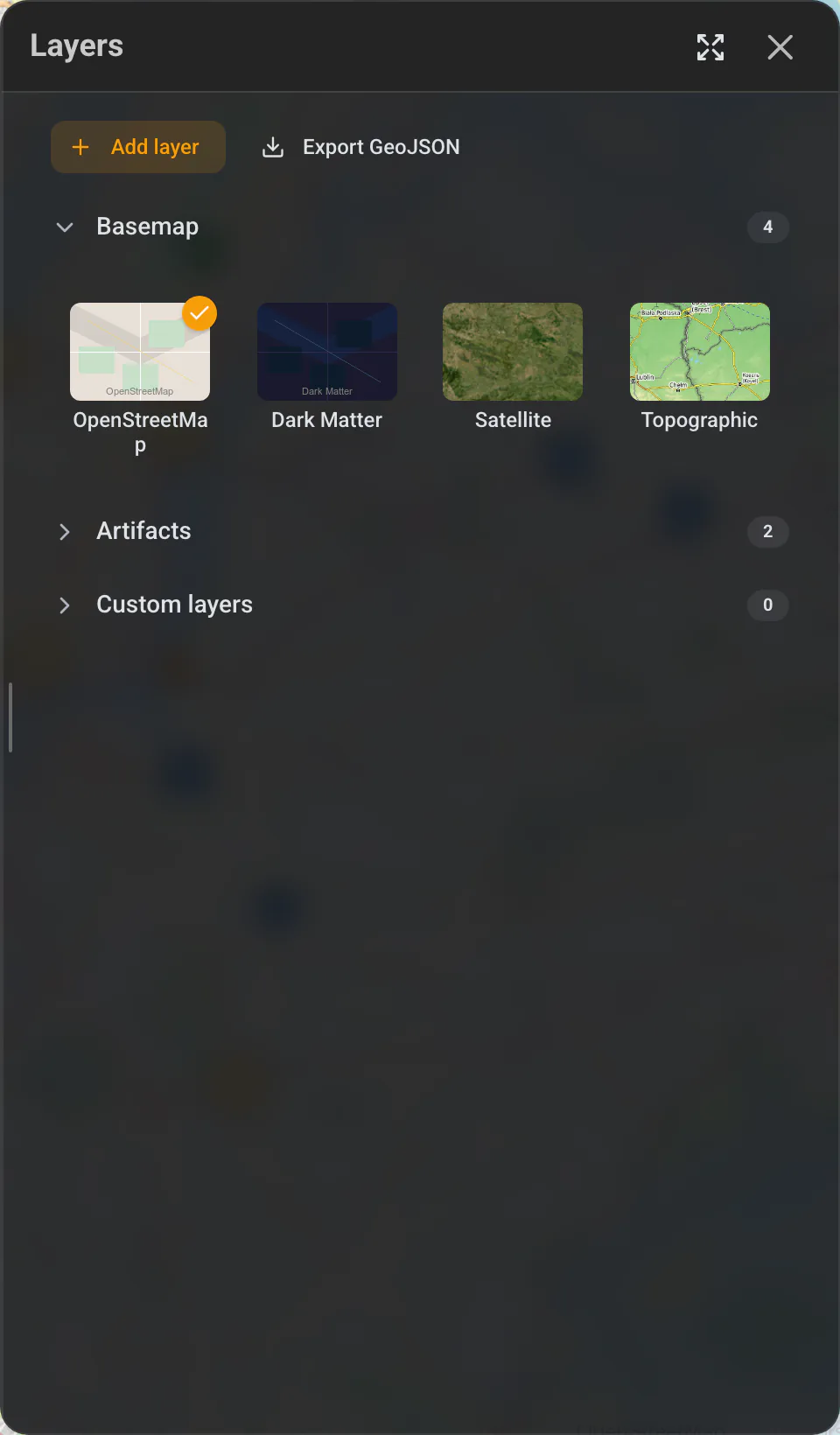
One app for the whole team
Drawing tools (markers, lines and shapes with undo/redo), an address search and isolated workspaces are all in the same place. Learn more in the map and tools guide and the tasks guide.
A concrete example
Say a road authority needs a contractor to fix a damaged sign at a known spot. In an ArcGIS setup you would publish a feature layer, assign the job through ArcGIS Workforce, and the crew syncs it in Field Maps. In GeoMarkup you right-click the spot on the map, create a task with a photo, a priority and the contractor as its owner, and they open it from a shared link — then you settle the details in real-time comments on the task itself. Same outcome, far less setup.
Where ArcGIS Field Maps is still the better choice
An honest comparison has to name the cases where Field Maps wins. Choose ArcGIS Field Maps when:
- Offline-first data collection is essential. Crews working in areas with no signal need to download maps, capture data offline and sync later. This is Field Maps’ core strength — see Esri’s offline workflows documentation — and GeoMarkup’s offline field-survey module is still on the roadmap, not shipped.
- You need survey-grade accuracy. Field Maps supports external high-accuracy GPS receivers; GeoMarkup uses standard browser geolocation.
- You already run on Esri. If your data lives in an ArcGIS geodatabase and your team uses Survey123, Workforce or QuickCapture, Field Maps is the natural, integrated choice.
- You need advanced GIS analysis or enterprise deployment. Full spatial analysis, complex smart forms and on-premises ArcGIS Enterprise are firmly in Esri’s territory.
If those points describe your work, stay with Field Maps — or revisit GeoMarkup once its field-survey module ships.
Quick checklist: GeoMarkup or ArcGIS Field Maps?
The more of these that match your work, the stronger that tool is for you.
Choose GeoMarkup if:
- You want to start in minutes, with no install and no GIS administrator.
- Real-time collaboration and comments matter most.
- Your team works online — from desktop, tablet and phone.
- Budget matters: you need a free start with no per-seat licensing.
Stay with ArcGIS Field Maps if:
- Offline data collection in areas with no signal is essential.
- You need survey-grade accuracy and high-precision GPS.
- You already run on Esri (ArcGIS Online / Enterprise, Survey123).
- You need advanced spatial analysis or an enterprise deployment.
How to get started with GeoMarkup
- Create a free workspace — no card required.
- Pick a basemap — orthophoto, satellite or a standard map, and import your own layers if you have them.
- Create tasks on the map — pin each one to its exact location and set a status, priority and owner.
- Invite your team — comment in real time and track everything from start to done.
GeoMarkup will not replace a full enterprise GIS, and it is not trying to. But if you want a fast, free, collaborative ArcGIS Field Maps alternative that your whole team can open in a browser, it is built for exactly that.
Related guides
- Map and tools — drawing, layers, basemaps and geodata import.
- Tasks — how tasks work on the map, end to end.
- All guides — more comparisons and how-tos.
Frequently asked questions
Is GeoMarkup really free?
Yes. GeoMarkup is completely free right now, with no credit card and no usage limits. ArcGIS Field Maps, by contrast, requires a paid ArcGIS Online or ArcGIS Enterprise subscription for commercial use.
Do I need to install anything to use GeoMarkup?
No. GeoMarkup runs in any modern browser — Chrome, Firefox, Safari or Edge — on desktop, tablet and phone. ArcGIS Field Maps is a native iOS and Android app you have to install on each device.
Can GeoMarkup collect data offline like ArcGIS Field Maps?
Not yet. Offline field collection is on the GeoMarkup roadmap as part of the field-survey module. If offline-first data capture in areas with no signal is essential to you today, ArcGIS Field Maps is the better fit.
Can I import my existing GIS data into GeoMarkup?
Yes. You can import GeoJSON, KML, KMZ, GPX, GeoPackage and Shapefile (in a ZIP) up to 50 MB as custom layers, and export your map data back to GeoJSON.
Is GeoMarkup a full GIS like ArcGIS?
No, and it does not try to be. GeoMarkup focuses on collaborative, map-based task management and markup. For advanced spatial analysis, survey-grade accuracy and enterprise geodatabases, ArcGIS remains the stronger platform.
Who is GeoMarkup best for?
Teams that need to pin work to exact locations, collaborate in real time and get started fast without GIS administration — for example road authorities, contractors and field teams.